
Building your first no-code chatbot
From a blank canvas to a live bot in an afternoon — and the design decisions that separate a useful one from an infuriating one.
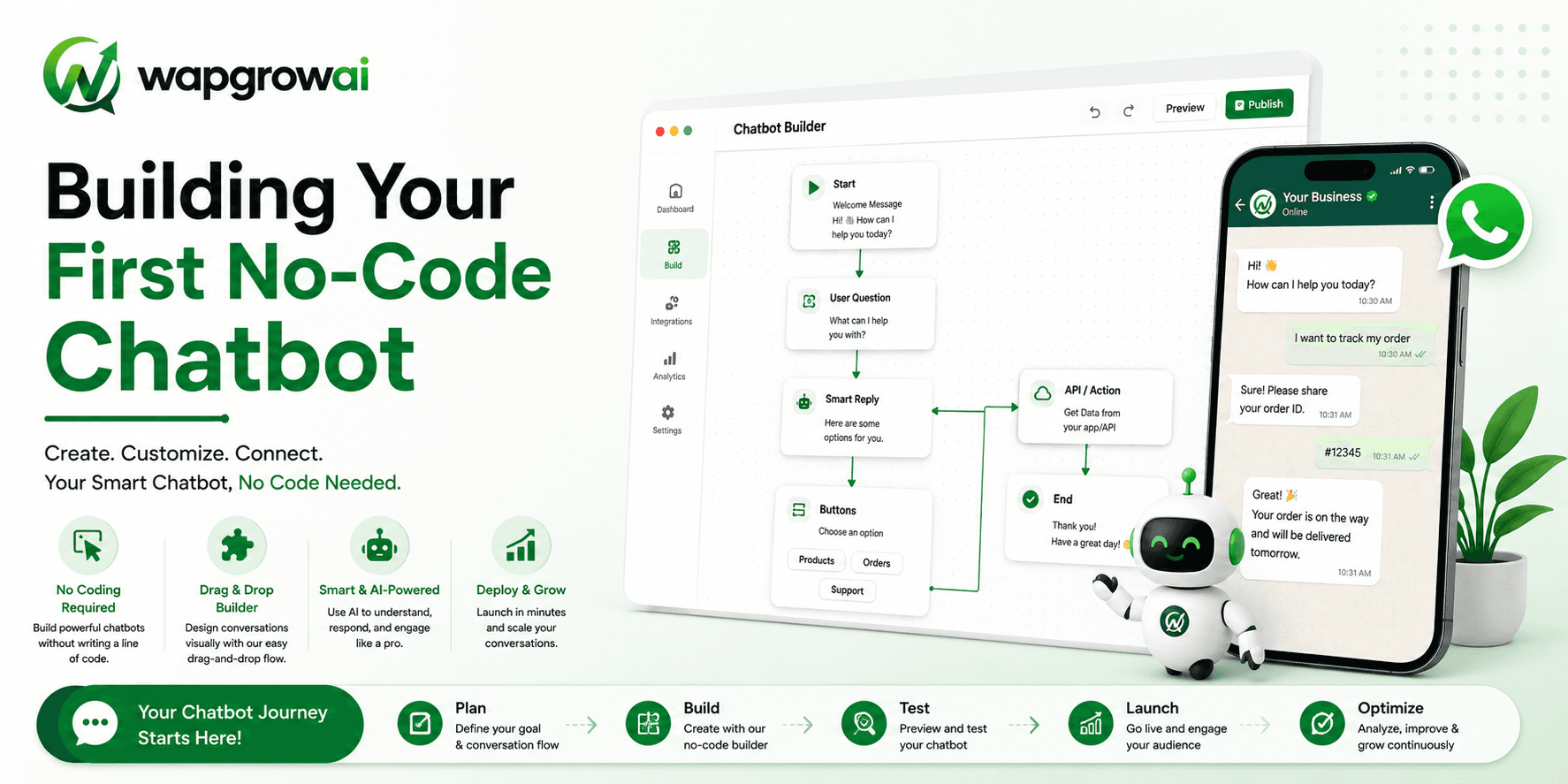
The hard part of building a chatbot is not building the chatbot. Modern no-code builders will have you dragging a flow together in twenty minutes. The hard part is deciding what it should do, what it should refuse to do, and how it gets out of the way when it is not helping.
Almost every bot that customers hate is a bot that failed at that second part. It was competent at answering the question it was designed for, and completely unable to recognise that it was being asked something else.
Start with one job
The most common failure in a first bot is scope. Someone maps out a flow that handles orders and returns and bookings and FAQs and lead capture, and the result is a maze that answers nothing well.
Pick one job. The right one is usually the question your team answers most often and enjoys answering least. Look at your inbox for the last fortnight and count. In most businesses, a single question accounts for a startling share of the volume: where is my order, what are your hours, do you have this in stock, how do I reschedule.
A bot that flawlessly answers your single most repetitive question is worth more than one that mediocrely attempts twenty.
Map the conversation before you build it
Open a document, not the builder. Write the conversation as a script — what the customer says, what the bot says back. Do it for the path where everything goes right, then do it three more times for the paths where it does not.
- The happy path: the customer asks the question the bot exists to answer, and gets the answer.
- The wrong-question path: the customer asks something else entirely, in the first message.
- The mid-flow escape: the customer is halfway through and changes their mind.
- The frustration path: the bot has failed twice and the customer is annoyed.
Most teams build the first and ship it. The other three are what determine whether customers trust the bot, and they take an hour to think through.
Design rules that survive contact with real customers
Say what you are, immediately
The bot should identify itself in its first message. Not because of a rule, but because pretending to be human is a strategy that works exactly until it fails, and when it fails the customer feels tricked rather than merely underserved.
Offer buttons, accept anything
Buttons make the happy path fast and unambiguous. But a customer who ignores your buttons and types a sentence is not misbehaving — they are telling you what they actually want. A bot that responds to free text with 'Please select an option' is the single most reliable way to make someone hate your company.
Two strikes, then a human
Set a hard rule: if the bot fails to understand twice, it stops trying and hands over. Not a third attempt, not a rephrased menu. A human, or a promise of one with a realistic time.
Always leave the door open
Every single step should accept 'talk to a person'. Every one. The customers who use it were never going to be deflected anyway, and the ones who merely see that it exists relax and stay in the flow.
Building the flow
With the script written, the build is mechanical. In WAPGROWAI's builder the pieces map roughly onto what you already wrote.
- A trigger — a keyword, a click-to-WhatsApp ad, a QR code, or any first message from a new contact.
- A greeting that says who the bot is and what it can do, in one sentence each.
- A branch, usually two or three buttons, matching the jobs you scoped.
- An action — look up the order, fetch stock, write to the CRM, book the slot.
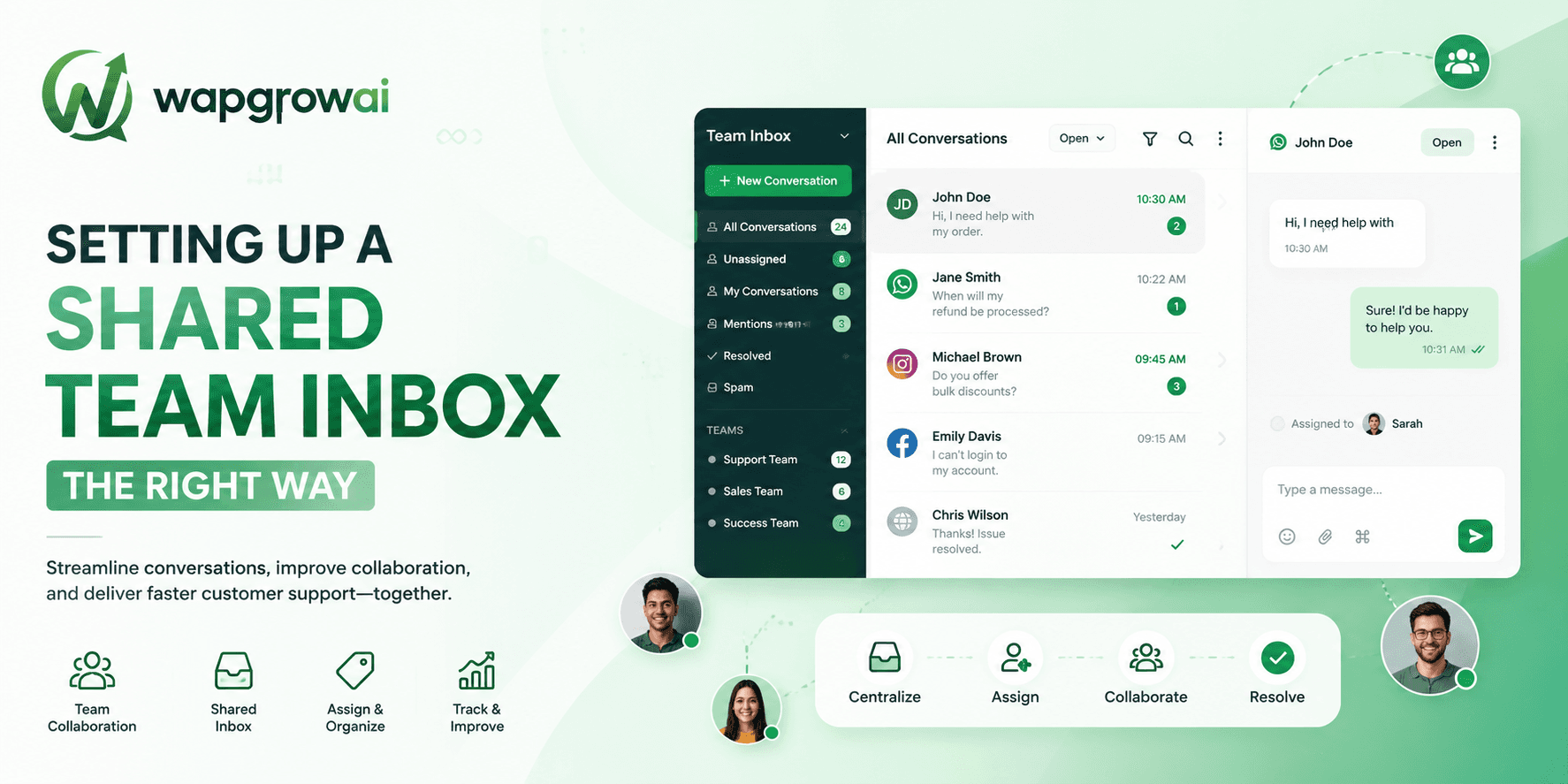
- A handoff node, wired to the shared inbox with the conversation history attached.
The action step is where most of the value lives, and it is also where teams stall. A bot that says 'your order is on its way' without knowing anything about the order is a worse experience than no bot at all. Connect the store, the CRM, or the calendar before you launch — a bot with no data is a menu with extra steps.
Test it like a customer, not like a builder
The person who designed the flow cannot test the flow. They know the paths, they use the buttons, they type the expected words. Testing has to be done by somebody who does not know how it works.
- Give the bot to three colleagues who did not build it, and give them a goal rather than instructions.
- Watch where they type instead of tapping. That tells you which buttons are badly worded.
- Deliberately break it. Type nonsense. Ask a question from a completely different department.
- Time the handoff. From the moment a human is requested, how long before one actually replies?
Launch small
Do not put the bot in front of all your traffic on day one. Route a fraction — a single ad campaign, one QR code, off-hours only — and watch it for a week.
Off-hours is a particularly good place to start, because the alternative is nothing. A bot that answers at midnight is competing against an empty inbox, not against your best agent. If it goes wrong there, it goes wrong cheaply.
The numbers to watch
- Containment rate: the share of conversations the bot resolved without a human. Useful, but easy to game by making escape hard.
- Escalation rate and, more importantly, escalation speed.
- Abandonment: how many people simply stop replying mid-flow. This is your frustration signal, and it is the one nobody reports.
- CSAT on bot-handled conversations, measured separately from human ones.
If containment is rising while abandonment is also rising, the bot is not deflecting tickets. It is losing customers, and the dashboard is congratulating you for it.
What good looks like after a month
A first bot that is working does not feel impressive. It feels boring. It answers the same question a few hundred times, it hands off cleanly when it is out of its depth, and your team stops noticing the question it used to spend an hour a day on.
That is the whole goal. Once it is stable, add the second job — and only the second. The businesses that end up with genuinely useful automation are the ones that grew it one boring, well-tested job at a time, not the ones that tried to build a digital employee on the first afternoon.
Writing bot copy that does not sound like a bot
Flow structure decides whether the bot works. Copy decides whether people can bear to use it. The two failure modes are opposite and equally common: the bot that is a robot, and the bot that is trying far too hard not to be.
The robot
'Your request has been registered. Please select an option from the menu below to proceed.' Nobody has ever spoken like this. It is not neutral, it is cold, and it tells the customer they are in a system rather than a conversation.
The overcorrection
'Heya! 👋 Super excited to help you out today!! 🎉' This is worse. The customer has a problem with an order, and your bot is doing improv. Enthusiasm from software is uncanny — it reads as a company trying to be liked instead of trying to be useful.
What works sits between them: plain, warm, and brief. Say what will happen. Ask one thing. Do not apologise for existing, and do not celebrate.
- Short sentences. A chat bubble is not a paragraph.
- One question per message. Two questions in one bubble means you get an answer to one of them.
- Say what you are about to do before you do it: 'Let me look that up — one moment.'
- Never blame the customer. 'I didn't catch that' beats 'Invalid input' by a distance.
Where the bot should hand over, precisely
'Escalate when it fails' is too vague to build. Here are the specific triggers worth wiring in, in rough order of importance.
- Two consecutive failures to understand. Not three.
- Any message containing words that signal frustration, cancellation, or a complaint — build the list from your own inbox, not from a generic template.
- Anything involving money going wrong: a failed payment, a wrong charge, a refund that has not arrived.
- An explicit request for a human, at any point, phrased any way.
- A conversation that has run past a handful of turns without resolving. Length is a frustration signal in its own right.
Maintenance, which nobody plans for
A chatbot is not a project with an end date. It is a small piece of software that makes promises to customers, and those promises go stale.
Your returns policy changes and the bot does not know. A product is discontinued and the bot cheerfully recommends it. Delivery times shift for the season and the bot is quoting last quarter's estimate — confidently, to hundreds of people a day.
- Put a monthly review in the calendar and treat it as non-optional. Read twenty real conversations, end to end.
- Own it. One named person is responsible for the bot's accuracy, in the way one person is responsible for the website's.
- Any time a policy changes, the change is not done until the bot has been updated. Make that part of the definition of done.
- Watch the abandonment-by-step chart. It will show you which question started failing before any customer complains about it.
When not to build a bot at all
Some businesses should not automate, and it is worth saying plainly.
If your volume is genuinely low — a few dozen conversations a day — a bot solves a problem you do not have, and the maintenance will cost you more attention than the messages did. If your customers are high-value and few, the personal reply is the product. And if the questions you receive are all genuinely different, there is nothing to automate; you have a consulting business, not a support queue.
Automation earns its place through repetition. If the same question is not being asked over and over, there is nothing there for a bot to do except get in the way.
The honest test is the one from the beginning: count the questions. If one type dominates, build for it. If nothing dominates, hire another person and come back in six months, when the pattern has emerged.
A build plan for one afternoon
If you want something concrete to follow, here is the version we give to teams launching their first bot. It genuinely fits in an afternoon, and it produces something worth keeping.
- First hour: count. Open the last two weeks of conversations and tally the question types. Pick the one at the top.
- Second hour: script it. Write the happy path, then the three failure paths. On paper, not in the builder.
- Third hour: build it. Trigger, greeting, one branch, one data lookup, one handoff node. Nothing else.
- Fourth hour: break it. Hand it to two colleagues with a goal and no instructions, and watch what they type instead of tapping.
- Then: point one entry source at it — off-hours, or a single QR code — and leave it alone for a week.
What you must not do in that afternoon is add a second job because the first one was easy. The second job is next week's work, after you have read a hundred real conversations and discovered the three things about your customers' phrasing that you were completely wrong about.
What to build second
Once the first job is stable — and stable means a month without anybody complaining about it — the natural second jobs are the ones adjacent to it.
- If the bot answers order status, the next job is returns and exchanges. Same data, same customers, same moment.
- If it answers opening hours and directions, the next job is booking, because the customer asking where you are is usually intending to come.
- If it qualifies leads, the next job is scheduling — the natural end of a qualifying conversation is a time in a calendar.
Follow the customer's next question rather than your internal roadmap, and the bot grows along the grain of how people actually behave. Build what the product team wanted instead, and you get a bot with an impressive feature list that customers exit at the first branch.
That is really the whole discipline. Small, boring, well-tested, and shaped by what people actually asked — rather than large, clever, and shaped by what you assumed they would.
Three more,
worth your time
Ready togrow on WhatsApp?
Join 10,000+ businesses turning conversations into revenue.
Start free trialBook a demo