How to get the WhatsApp green tick
What Meta actually checks, what quietly slows an application down, and how to pass on the first attempt.
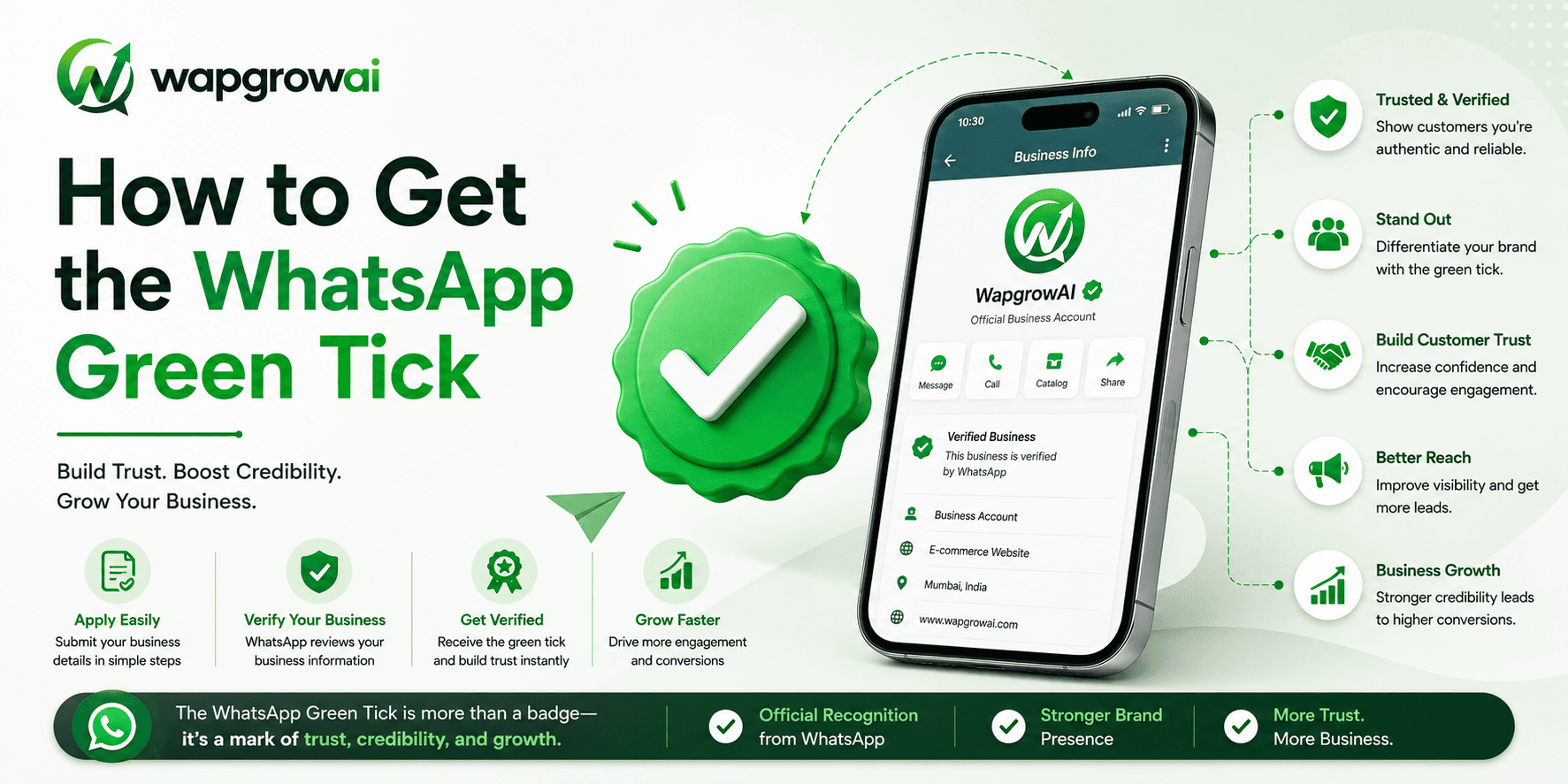
The green tick — officially the Official Business Account badge — is the small verified marker that appears beside your business name in a WhatsApp conversation. It is not a status symbol, though plenty of businesses treat it as one. It is a trust signal, and on a channel where a customer is deciding in under a second whether a message is legitimate or a scam, trust signals convert.
It is also the single most misunderstood part of onboarding to the WhatsApp Business Platform. Businesses assume it is a form to fill in. It is not. It is a judgement Meta makes about how notable your brand is, and no amount of paperwork will substitute for the thing it is actually measuring.
What the green tick actually is
There are three things people routinely confuse, and untangling them saves a lot of wasted effort.
- Business verification: confirming your legal entity with Meta. Required to send at scale. Document-based, and entirely within your control.
- Display name approval: getting your chosen sender name approved. Rule-based, and mostly a matter of following the naming policy.
- Official Business Account (the green tick): a discretionary badge Meta grants to notable brands. Not document-based, and not fully within your control.
The first two are administrative. You do the work, you get the outcome. The third is editorial: Meta is deciding whether your brand is well-known enough that impersonation would be a genuine risk. That distinction is why so many applications are rejected without a clear reason. There often is no fixable reason.
The prerequisites, in the order they actually matter
Before an application is worth submitting, four things need to be true. Skipping any of them does not merely delay the application — it produces a rejection that you then have to wait out.
- Your Meta Business Manager is verified, with a legal entity name that matches your registration documents exactly.
- Your WhatsApp Business Account is live, connected to a phone number, and has been sending and receiving real messages for a meaningful period.
- Your display name complies with Meta's naming policy and matches how the public actually knows your brand.
- Your business has a public footprint that a stranger could verify without your help.
That last one is the one that decides most applications, and it is the one businesses spend the least time on.
The thing Meta is really assessing: notability
Meta's stated criterion is that the brand must be 'notable'. In practice, a reviewer is asking a simple question: if I search for this company, does the internet already know who they are, independently of anything they told me?
The evidence that answers that question well is press coverage in outlets the reviewer recognises, a substantial and active presence on other platforms, an established website with genuine traffic, and third-party references — reviews, directories, industry listings — that the business does not control.
Notability is not something you assemble for an application. It is something an application reveals. If it is not there, the honest answer is to build it and come back.
The evidence that answers it badly is your own marketing material, a press release you paid to distribute, and a link to your own about page. Reviewers see hundreds of these. They carry no weight, because anyone can produce them.
The display name policy, and where it quietly bites
Your display name is what appears at the top of the chat, and it must satisfy Meta's naming policy before anything else can proceed. The rules are not complicated, but they are strict, and violations are the most common cause of a rejected application that had nothing to do with notability.
- It must be related to the business. A generic name like 'Sales' or 'Support' will be rejected outright.
- It cannot be a phone number, a URL, or a string of promotional words like 'Best Deals'.
- It should match the name customers already know you by, not the name on your certificate of incorporation, if the two differ.
- Capitalisation should be conventional. All caps reads as shouting and gets flagged.
One nuance worth knowing: the display name and the legal entity name do not have to match, but the relationship between them must be obvious. If your legal name is 'Nordheim Retail Holdings Pvt Ltd' and your display name is 'Nordheim', that is fine. If it is 'Shop Now Daily Offers', it is not.
Building the case, if the case is thin
Most businesses that get rejected are not being punished. They are simply not yet notable, and there is a real difference between the two. The path forward is unglamorous but reliable.
Earn coverage you did not pay for
One genuine article in a publication the reviewer has heard of outweighs a dozen syndicated press releases. Industry trade press counts. Local business press counts. A paid listing does not.
Make your other channels do the arguing
An active, followed presence on other platforms is corroboration. It demonstrates that the audience exists independently of your WhatsApp list, which is precisely what the reviewer is trying to establish.
Get your name into places you do not own
Reviews on established platforms, entries in industry directories, mentions on partner sites. Each one is a small piece of third-party evidence that you exist and that customers deal with you.
How to actually submit
Once the groundwork is in place, the submission itself is short.
- In Meta Business Manager, open the WhatsApp Manager and select the business account you want to badge.
- Under account settings, find the Official Business Account section and start the request.
- Provide the supporting links. Lead with third-party coverage; do not pad it with your own pages.
- Submit once, and wait. Resubmitting immediately after a rejection is the fastest way to be ignored.
After a rejection
Rejections rarely come with a specific reason, which is maddening but logical: publishing the criteria in detail would simply teach people how to game them. What you can do is treat the rejection as information about the strength of your public footprint, not about the quality of your paperwork.
Wait, build genuine coverage, and reapply in a few months. Applications submitted in quick succession with nothing changed between them tend to fare worse, not better, and there is some evidence they slow down subsequent reviews.
What to do while you wait
Here is the part that gets lost in the anxiety about the badge: almost everything the green tick is supposed to do for you can be achieved without it.
- Complete your business profile fully — logo, description, website, address, hours. A complete profile does most of the trust work.
- Use a consistent display name across every channel, so the name in the chat matches the name on the ad that sent them there.
- Reply fast. Nothing establishes legitimacy faster than a human answering within a minute.
- Keep your quality rating green. It affects deliverability far more than the badge affects trust.
We have seen businesses with no badge and a two-minute response time convert better than badged competitors who take a day to answer. The tick is a shortcut to credibility. It is not a substitute for it, and it never was.
Business verification, step by step
This is the part that is entirely within your control, and it is where most launches actually stall — not on notability, but on a mismatched document. Get it right the first time and you save a fortnight.
- Create or claim your Meta Business Manager, using an email address on your company domain rather than a personal one.
- Enter the legal entity name exactly as it appears on your registration certificate. Not the trading name, not an abbreviation, not the name with 'Ltd' dropped because it looked tidier.
- Upload a business registration document, and a second document — a utility bill or bank statement — showing the same legal name and the same registered address.
- Verify the phone number or domain Meta asks for. It must belong to the business, not to an employee.
- Wait. Verification typically resolves in a few days, and chasing it does not speed it up.
The single most common rejection is a mismatch between the name on the documents and the name in Business Manager. A missing 'Private Limited', a different abbreviation, a change of registered address that was never updated — any of these will bounce the application, and the rejection message will not tell you which.
What the badge actually changes
It is worth being precise about the benefit, because expectations tend to run well ahead of reality.
- The tick appears next to your name in the chat header and in the chat list. That is the visible change.
- Your business name shows even for people who have not saved your number — which is genuinely useful, because most of your customers have not.
- Customers are measurably less likely to report a message as spam when it arrives from a badged account.
- It does not increase your messaging limits, does not lower your per-conversation price, and does not affect deliverability. Those are governed by your quality rating and your tier.
That final point catches people out constantly. Businesses apply for the tick believing it will unlock volume. It will not. Volume is earned by sending messages people do not block — which is a behaviour, not a badge.
Quality rating: the thing that actually governs your account
While you are waiting on a badge you may or may not get, there is a number that determines whether your messages arrive at all, and it deserves far more of your attention than the tick does.
Meta assigns every number a quality rating — green, yellow, or red — based on how recipients respond. Blocks and reports drive it down. Replies and engagement hold it up. If it falls far enough, your messaging limit is cut, and in the worst case your number is restricted entirely.
The green tick is cosmetic. The quality rating is existential. Businesses spend months chasing the first and discover the second only when it turns yellow.
- Check it weekly in WhatsApp Manager. It moves slowly, then suddenly.
- If it turns yellow, stop broadcasting immediately and look at what you sent in the previous fortnight. Do not send more in the hope of averaging it out.
- The fastest recovery is a period of purely inbound and utility conversations — messages people wanted.
- A red rating is recoverable, but the recovery takes weeks and your volume is capped throughout.
The order to do all of this in
Sequenced properly, the whole path is unglamorous and reliable.
- Verify the business. Weeks one and two. Entirely in your control.
- Get the display name approved and the number live. Start having real conversations.
- Run for a quarter. Build volume, keep the quality rating green, get customers replying.
- Only now, apply for the green tick — with a track record, an audience, and public coverage that exists independently of you.
Businesses that follow that order tend to get the badge. Businesses that apply on day one, with no message volume and no press, tend not to — and then spend six months convinced that the process is arbitrary, when in fact it was simply early.
Questions we are asked constantly
Can we pay for the green tick?
No. There is no fee, no fast track, and no partner who can buy you one. Anybody offering to sell you a green tick is either misunderstanding what they are selling or lying to you, and in both cases you should not give them your Business Manager access.
Does a bigger message volume help?
Indirectly, yes. Volume is not itself a criterion, but a business sending and receiving thousands of conversations a month is visibly a real business with real customers, and that is corroboration for the notability judgement. A brand-new account with fifty messages is not.
Do we lose the tick if we misbehave?
You can. The badge is not permanent. A collapsing quality rating, a pattern of spam reports, or a policy violation can all take it away, and getting it back is harder than getting it in the first place.
Can we have several numbers under one verified business?
Yes, and most businesses of any size should. A support number and a marketing number can be separated so that a bad broadcast cannot damage the quality rating of the line your customers use when something has gone wrong. The badge, however, is assessed per number, not per business.
How long does the whole thing take?
Business verification, a few days to a fortnight. Display name approval, usually fast. The green tick, anywhere from a week to never — and the honest planning assumption for a young brand is 'not yet'.
The uncomfortable conclusion
The green tick is a signal that you are already notable. It is not a mechanism for becoming notable, and every hour spent optimising an application is an hour not spent on the thing the application is actually measuring.
If your business is well known, you will probably get the badge. If it is not, the badge was never the reason customers were hesitating.
So do the parts you control, properly and once: verify the business, get the name right, complete the profile, keep the quality rating green, and answer fast. Then apply, once, and get on with the work. The businesses that grow are not the ones with the tick. They are the ones whose customers get an answer in under two minutes — and the tick, when it arrives, is a consequence of that rather than a substitute for it.
Three more,
worth your time
Ready togrow on WhatsApp?
Join 10,000+ businesses turning conversations into revenue.
Start free trialBook a demo