
Keep the WhatsApp Business App and Get a Team Inbox: How WhatsApp Coexistence Works
You no longer have to give up the app on your phone to give your team a shared inbox. What WhatsApp coexistence keeps, what it changes, and who it suits.
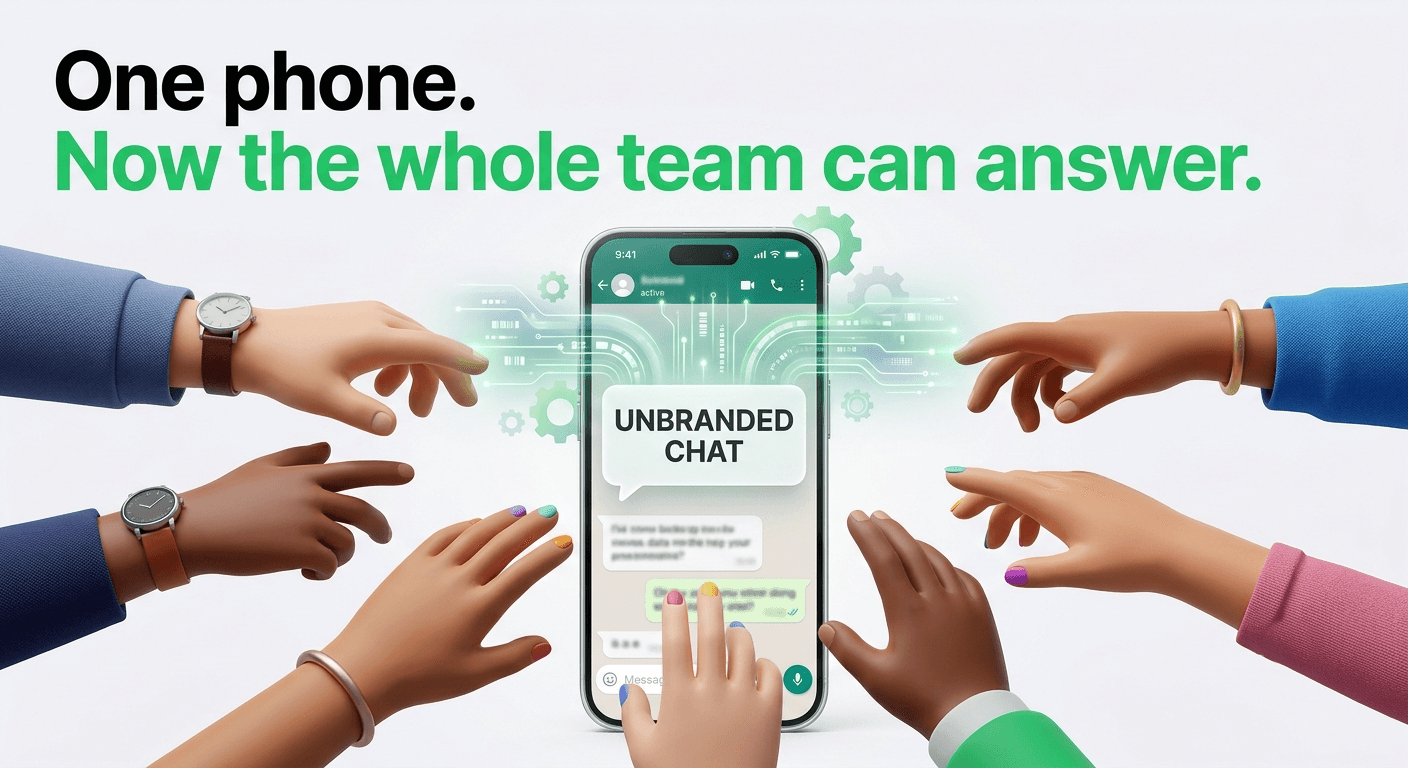
Plenty of small businesses run on one phone. The owner answers customers on the WhatsApp Business app between everything else, the number is printed on the shop sign and the delivery bags, and years of conversations live on that one device. Then the business grows. Two people need to answer at once, someone wants to send order updates automatically, and the phone becomes a bottleneck.
For a long time, moving to the WhatsApp Business Platform meant giving the app up: you removed the number from the app before connecting it to the API. That's no longer the only option. With what Meta calls coexistence, the same number can work in the WhatsApp Business app and through a platform at the same time.
This article explains what coexistence keeps, what it changes, and when it's the right choice.
What coexistence is
Put simply: once connected, you use the WhatsApp Business app and a platform on the same number at the same time. Your customers keep messaging the same number they always have. You keep the app on your phone. And your team gets the same conversations in a shared inbox on the computer.
Messages go both ways. In Meta's words, “Messages sent and received are mirrored between the Cloud API and WhatsApp Business app.” Reply from your phone and your team sees it; reply from the team inbox and it shows up on your phone.
What you keep
- Your number, and the app on your phone. Nothing changes for customers.
- Your contacts. WhatsApp contacts from the app are copied across to the platform.
- Your recent chat history, if you choose. You can share up to about six months of conversations (Meta's limit is messages from the last 180 days) when you connect. It's optional, and it happens once.
- Free messages from the app. Meta says “messages sent by the business via the WhatsApp Business app will continue to be free.” Messages sent through the platform follow normal WhatsApp Business Platform pricing.
What changes
Meta lists what changes once a number is connected this way:
- Group chats aren't synced to the platform.
- Broadcast lists are disabled, and existing ones become read-only. Bulk messages move to proper campaigns with approved templates.
- Disappearing messages, view-once messages and live location are turned off in one-to-one chats.
- Linked devices mostly keep working, except WhatsApp for Windows and WhatsApp for Wear OS.
- Voice and video calls stay in the app. They aren't available through the platform on a coexistence number.
- Sending speed is capped at 20 messages per second, compared with 80 for numbers that only use the platform. That only matters for very large campaigns.
- The phone has to stay in use. Meta lists a primary device that's been inactive for about 14 days as a reason the number gets disconnected from the platform. Open the app regularly.
Two things we've seen in practice: your business profile (description, address, hours) stays managed from the app on your phone, and the 24-hour rule for free-form replies applies to messages sent from the platform, not to the app.
Who can use it
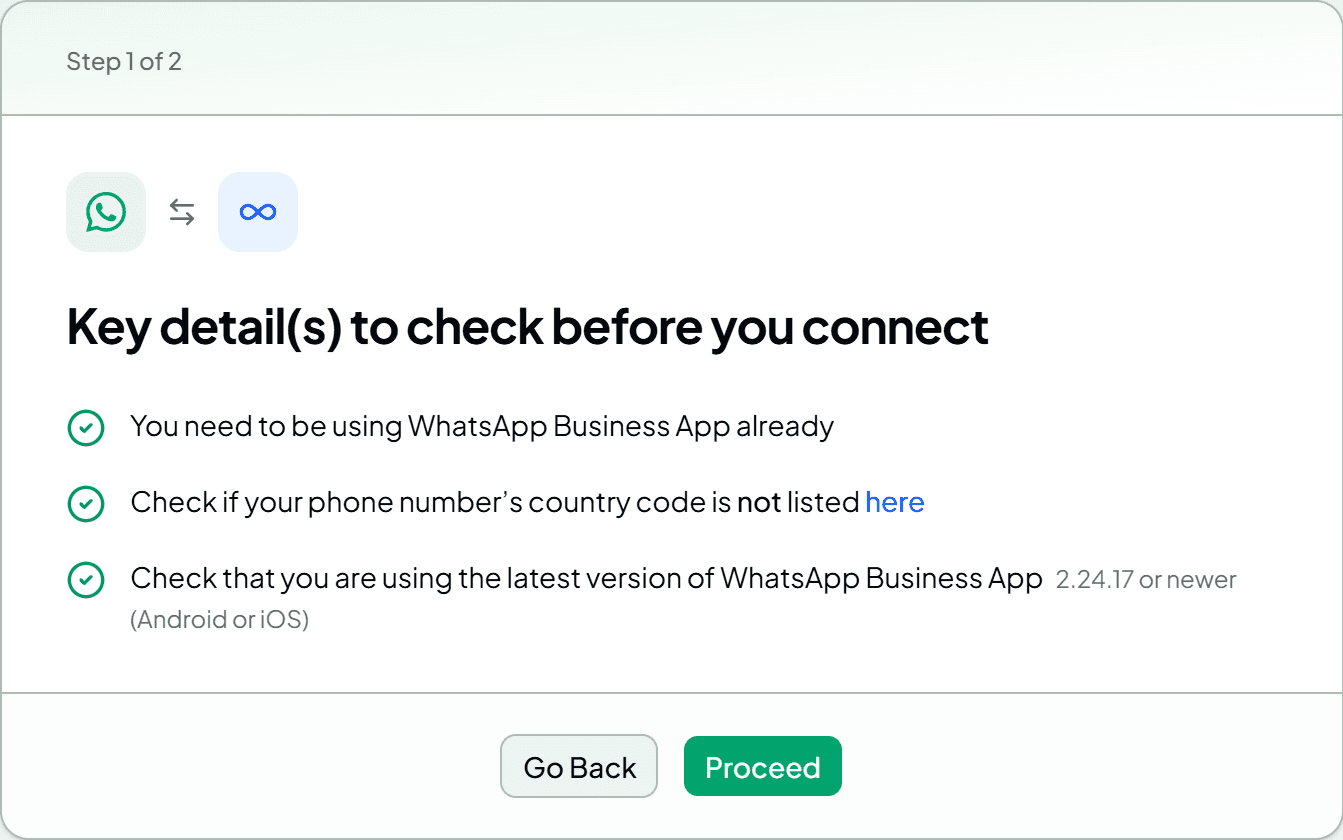
- You need to be using the WhatsApp Business app already, version 2.24.17 or newer.
- You connect through a Meta partner (a Solution Partner or Tech Provider), using their connection flow.
- Check with your provider that your number can use it before you start.
How connecting works
In WAPGROWAI, it starts in Settings → Channel → Connect, where you choose between a brand-new number and connecting your existing Business app.
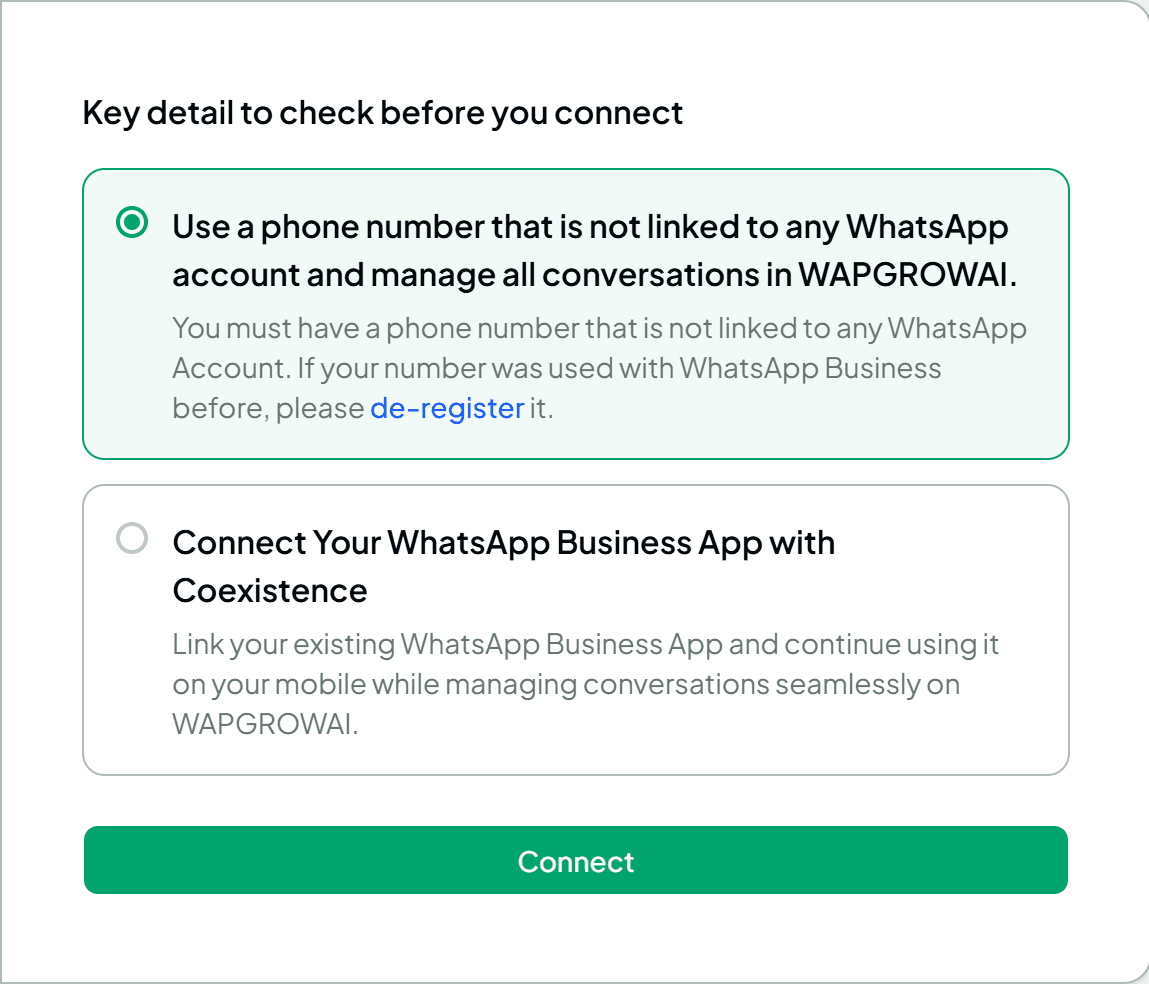
A short checklist comes first, so you don't get halfway through and stop:
Then Meta's own signup window takes over: you log in with Facebook, confirm your business details, choose to connect your existing WhatsApp Business app, and enter your number. WhatsApp sends a verification code to the Business app on your phone, so keep it nearby. In the app you tap Connect to the Business Platform, choose whether to share your chat history, and then paste the code back into the signup window.
Once connected, your contacts and shared history arrive in the team inbox, new messages appear in both places, and messages you send from the phone show up in the inbox under your business name, so the team can see what you've already said.
Coexistence or a new number?
Coexistence suits you if:
- Your number is already known to customers and you don't want to change it.
- The owner or a manager still wants to answer from their phone.
- You want a team inbox, automation and campaigns without a big switchover.
A number used only on the platform may suit you better if:
- You rely on WhatsApp groups or broadcast lists from that number.
- You plan very large campaigns where the higher sending speed matters.
- Nobody will open the app on the phone regularly.
Changing your mind
You can disconnect from the app itself: Meta's instructions are to go to Settings → Account → Business Platform and tap Disconnect Account. The app keeps working on its own as before.
Quick answers
Will my customers notice anything?
No. They message the same number, and replies come from the same business name.
Do I lose my chat history?
No. It stays on your phone. You can also choose to share up to about six months of it with the platform when you connect.
Can two people reply at the same time?
Yes. That's the point: your team works from the shared inbox while you can still use the phone.
Do messages from my phone cost anything?
No. Meta says messages sent from the WhatsApp Business app stay free. Messages sent through the platform are priced like any other platform message.
For the difference between the app and the platform in general, see WhatsApp Business App vs. WhatsApp Business Platform. For what platform messages cost since October 2026, see WhatsApp's Pricing Changed on October 1.
Sources
- Onboarding WhatsApp Business app users (coexistence) — Meta for Developers
Three more,
worth your time
Ready togrow on WhatsApp?
Join 10,000+ businesses turning conversations into revenue.
Start free trialBook a demo