
Looking for a WATI Alternative? What to Compare Before Choosing a WhatsApp Business Platform
Cost, team inbox, automation caps, integrations, API, your existing number and your data — the questions to ask every vendor before you switch.

WATI is one of the best-known WhatsApp Business Platform tools for small and mid-sized businesses, and plenty of teams are happy on it. People start looking for alternatives for ordinary reasons: the plan that fits their team size costs more than expected, a feature they need sits on a higher tier, they want to pay in their own currency, or they simply want to check they're not overpaying.
Whatever the reason, the useful question isn't “which tool is best?” but “which tool fits how my team works, at a cost I can predict?” This guide sets out what to compare, uses WATI's own published plans as the reference point, and explains the one decision that's hardest to undo: what happens to your WhatsApp number.
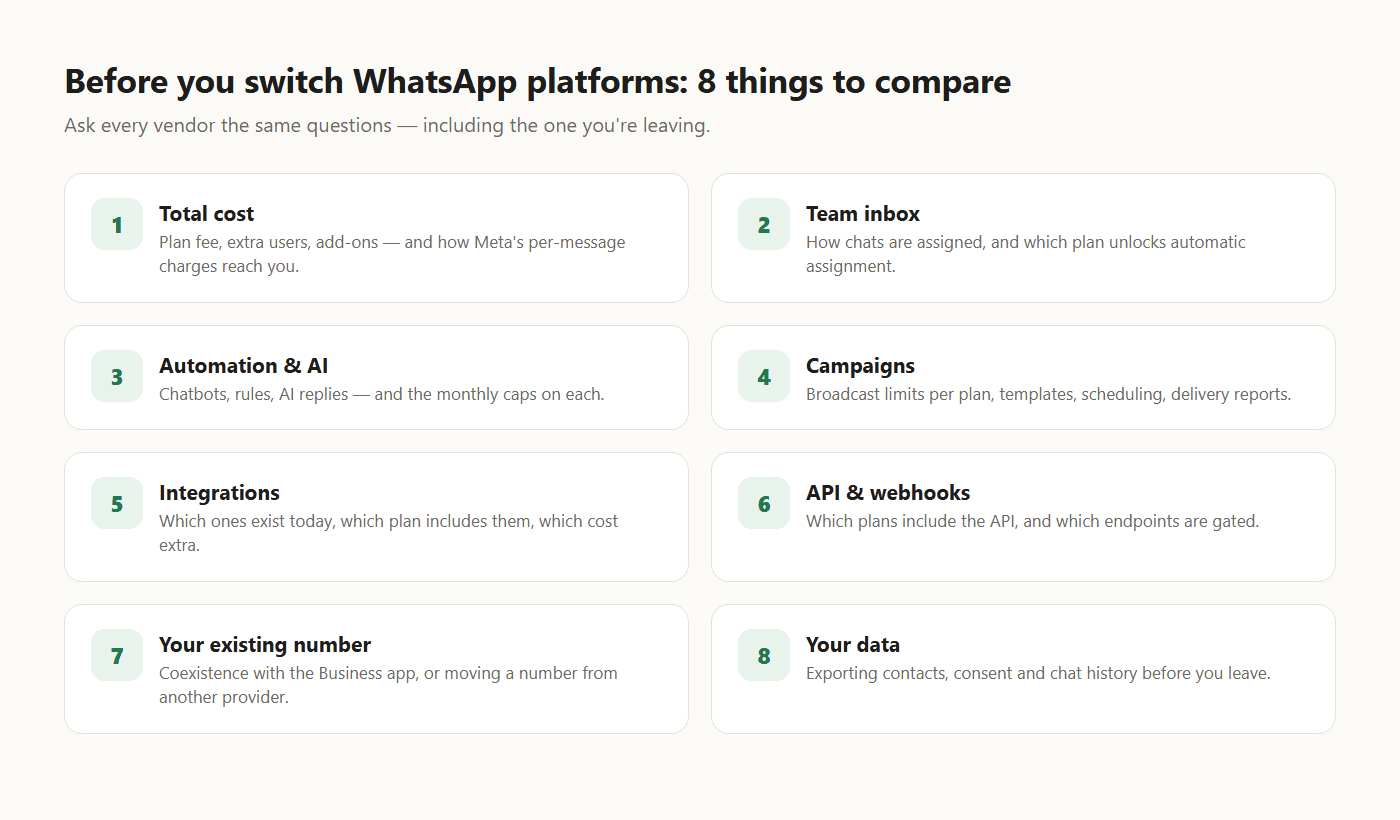
1. Total cost: the plan is only part of it
Every WhatsApp Business Platform tool has two kinds of cost:
- The platform's own fee — the plan, extra users and add-ons.
- Meta's messaging charges — per delivered message, priced by category and the recipient's country. Since 1 October 2026 this includes ordinary replies after the first 1,000 a month per number.
On WATI's pricing page, the plans are Growth, Pro and Business, with a discount for paying for a longer period. Growth includes 3 users with no option to add more; Pro and Business include 5, with additional users charged per user per month. At the time of writing, the page shown in India lists prices in rupees, with extra users at ₹1,299 a month on Pro and ₹2,199 on Business. WATI's pricing explainer says message fees are paid from credits kept in your account balance.
What to ask any vendor:
- What does the plan cost for my team size, including extra users?
- Which add-ons will I actually need — integrations, AI credits, extra automation runs?
- How do Meta's message charges reach me: prepaid credits, billed by the vendor, or charged by Meta directly — and is there a markup?
- Which currency am I billed in?
WAPGROWAI, for comparison, lists a single Pro plan (monthly or yearly) with 5 users included, plus a custom-priced Enterprise plan, priced in rupees on its pricing page. Ask its team the same Meta-charges question you'd ask anyone else.
2. Team inbox: how chats get to the right person
A shared inbox is table stakes; the difference is assignment. WATI's plans step this up by tier: a team inbox with assignment on Growth, teams and intelligent routing on Pro, and round-robin assignment on Business.
In WAPGROWAI's team inbox, chats can be assigned to a person or a team, and a chatbot can hand a conversation to the least-busy member of a team automatically. Agents get internal notes, tags, quick replies and AI-drafted suggestions, and the reply box switches to approved templates when WhatsApp's 24-hour window has closed.
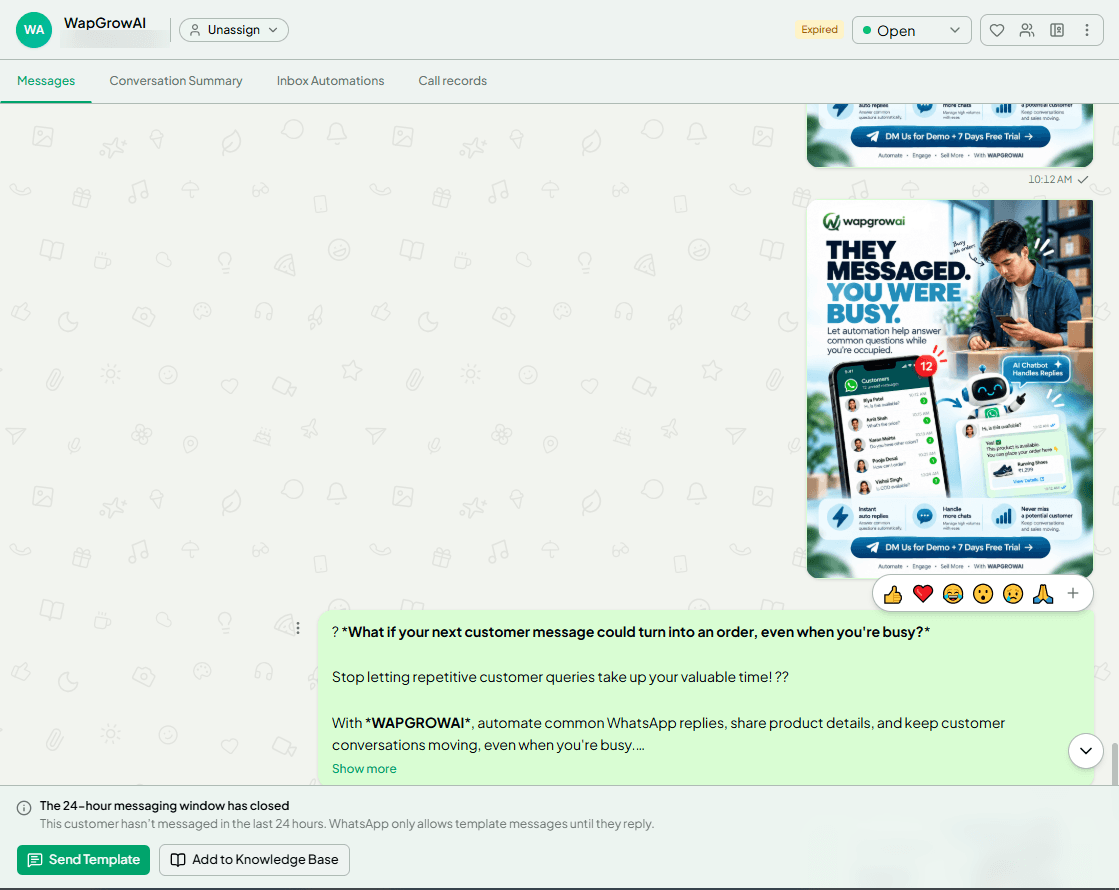
Ask: on the plan you'd buy, can chats be assigned automatically? Can a bot hand over to a person mid-conversation? Can you report on first response time per agent?
3. Automation and AI: look for the caps
Most tools now combine chatbots, rules and AI replies — and most meter them. WATI's plans include a monthly allowance of automation triggers (1,000 on Growth, 2,000 on Pro, 5,000 on Business) and of “Wati AI credits” (2,000, 5,000 and 20,000), with extra triggers and AI credits available as add-ons.
WAPGROWAI's pricing page lists 2,000 automation triggers and 250 AI agent replies a month on Pro. Its automation is built from rules, a drag-and-drop chatbot builder, timed follow-up sequences, in-chat forms (WhatsApp Flows), and an AI agent that answers from a business profile you write or upload and hands off when a customer asks for a person.
Ask: what counts as one “trigger” or “credit”? What happens when you run out mid-month — do automations stop, or do you pay overage?
4. Campaigns
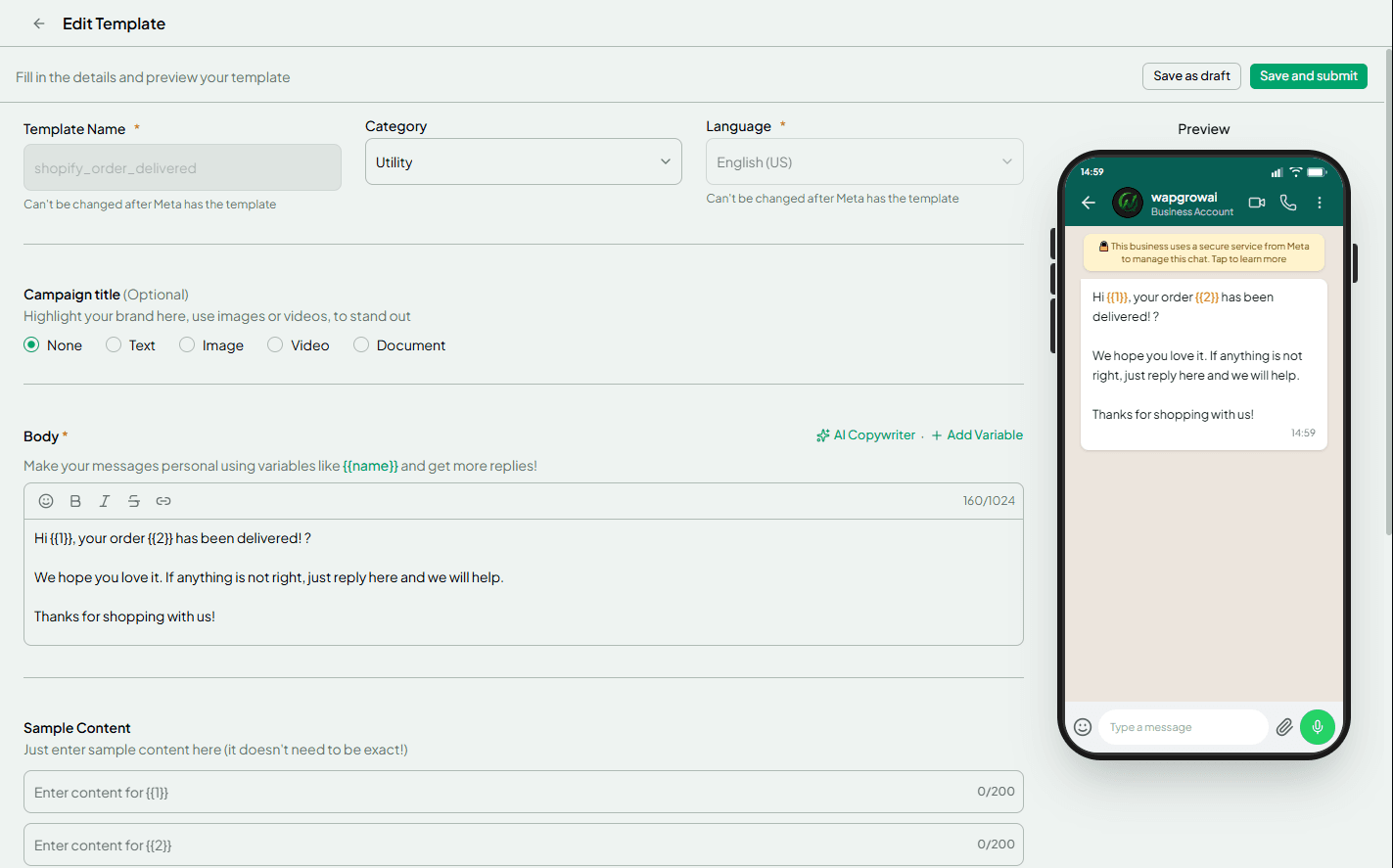
Compare broadcast limits per plan (WATI's Growth plan includes 15,000 broadcasts a month; Pro and Business are listed as unlimited), whether you can schedule and segment, whether there's a template library to start from, and what you see after sending — delivered, read, replied and failed, with the reason for failures.
5. Integrations: “available” versus “included”
An integration on a features page isn't necessarily on your plan. On WATI's pricing page, HubSpot is listed from Pro, Salesforce on Business, and Shopify as a paid add-on ($4.99 a month at the time of writing).
WAPGROWAI's live integrations are Shopify (order confirmations, shipment updates, cash-on-delivery confirmation and an abandoned-cart reminder), HubSpot and Google Sheets, plus Razorpay and Creem for payments inside the chat. More are in development.
Ask: is the integration you need live today, which plan includes it, and is it priced separately?
6. API and webhooks
If anything in your business needs to send or receive WhatsApp messages automatically — a website, a CRM, an order system — the API matters. WATI's API documentation uses token authentication and marks some endpoints as available only on Pro or Business.
WAPGROWAI provides a REST API with access tokens, usage limits, request logs and in-app documentation, plus outbound webhooks with delivery logs. Its developer page has more.
Ask: which plans include the API, what the rate limits are, and which events webhooks can send you.
7. Your existing number: the decision that's hardest to undo
There are two very different situations:
- Your number is on the WhatsApp Business app. With coexistence, you can connect it to a platform and keep using the app on your phone. Both WATI and WAPGROWAI support this.
- Your number is already on the WhatsApp Business Platform with another provider. Meta lets you move it between providers. According to Meta, the display name, quality rating, messaging limit and Official Business Account status are preserved, and approved, high-quality templates are copied to the new account. Two-step verification has to be switched off first, and charges move to the new account once the move completes.
What Meta doesn't move for you is everything that lives in your provider's software: contacts and their opt-in records, chatbot flows, automations and, in practice, your chat history. Export them before you switch — WATI's help center describes exporting chat history as a file per contact.
Ask the new provider: do you support moving a number from another provider, who does the work, and what will need rebuilding? WAPGROWAI's self-serve connection covers a new number or coexistence; if you're moving a number that's already on the API, speak to its team before you start.
8. Your data, and how easily you can leave
The best time to check exit options is before you sign up. Can you export contacts with their attributes and consent? Can you export chats? Can templates be exported or re-synced from Meta? WAPGROWAI, for example, imports and exports contacts as spreadsheets, can re-sync templates already in your WhatsApp account, and backs up chat history to an encrypted file.
Making the decision
- Write down your team size, monthly message volume and the three features you can't do without.
- Price each shortlisted tool for that setup, including extra users and add-ons.
- Ask each one how Meta's charges are billed.
- Check the integrations you need are live and on your plan.
- Use the free trials with real conversations, not demo data — WATI and WAPGROWAI both offer one.
- Plan the number move or coexistence before you cancel anything.
No single tool is the right answer for everyone. If WATI's plan structure fits your team, staying is a perfectly good outcome of this exercise. If it doesn't, the checklist above will tell you quickly which alternative does.
More from this series
- WhatsApp Business App vs. WhatsApp Business Platform: What's the Difference?
- What Happens After a Customer Messages Your Business on WhatsApp
- Inside WAPGROWAI: A Practical Guide to WhatsApp Team Inbox, Campaigns and Automation
- How to Sell and Get Paid Inside WhatsApp: Catalogs, Carts and Checkout
Sources
- WATI pricing — WATI
- Understanding WATI's pricing structure — WATI
- WATI API documentation — WATI
- Migrating phone numbers between solution partners — Meta for Developers
- How to export chat history from WATI — WATI
Three more,
worth your time

Ready togrow on WhatsApp?
Join 10,000+ businesses turning conversations into revenue.
Start free trialBook a demo